Native iPhone app · Jobsite operations · Payroll review
Hardcount, an attendance and payroll app for jobsite crews
- Role
- Product design and implementation
- Product
- Hardcount
- Built through
- House of Brilliance
- Period
- 2026 to now
In brief
Hardcount is being used onsite. I built an iPhone app and manager console that turn GPS and Bluetooth beacon evidence into workdays, then carry those days through review, payroll history and job costing.
In onsite use
Hardcount is being used onsite. The working flow covers native evidence capture, worker review, manager approval and saved payroll history.
How a workday gets from the phone to payroll
Set up tracking
A worker signs in, accepts tracking for eligible jobsites and grants iPhone permissions. The phone receives the assigned sites and tracking rules.
Collect site evidence
Native iPhone services gather GPS, geofence and registered Bluetooth beacon signals. Evidence is saved on the phone and queued for upload when a connection is available.
Prepare workdays
The server checks identity, consent, site assignments and evidence quality. It prepares confirmed workdays and surfaces conflicts for review.
Review and approve
Workers can request corrections or missing days. A manager resolves exceptions and approves the week, saving a payroll record with the jobsite cost allocations.
Evidence collection and workday preparation run automatically after setup. Corrections and weekly payroll approval remain explicit actions.
The problem
Crews move between jobsites. A manager needs to know which days count, which site carries the cost and what still needs attention before payroll.
The routine should work without someone remembering a daily check-in or reconstructing the week from messages.
What I built
A native iPhone app gathers GPS, geofence and registered Bluetooth beacon evidence independently of the open web screen. It keeps an upload queue for interrupted connections.
The server checks site eligibility, consent and evidence quality before preparing workdays. Late or repeated uploads preserve the same visit identity.
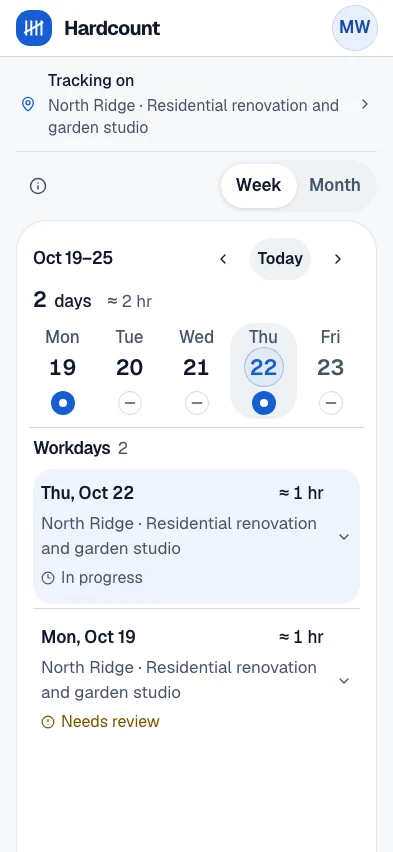
Workers see their days in a weekly calendar and can request corrections or add a missing day. Those submissions go to the manager for review.
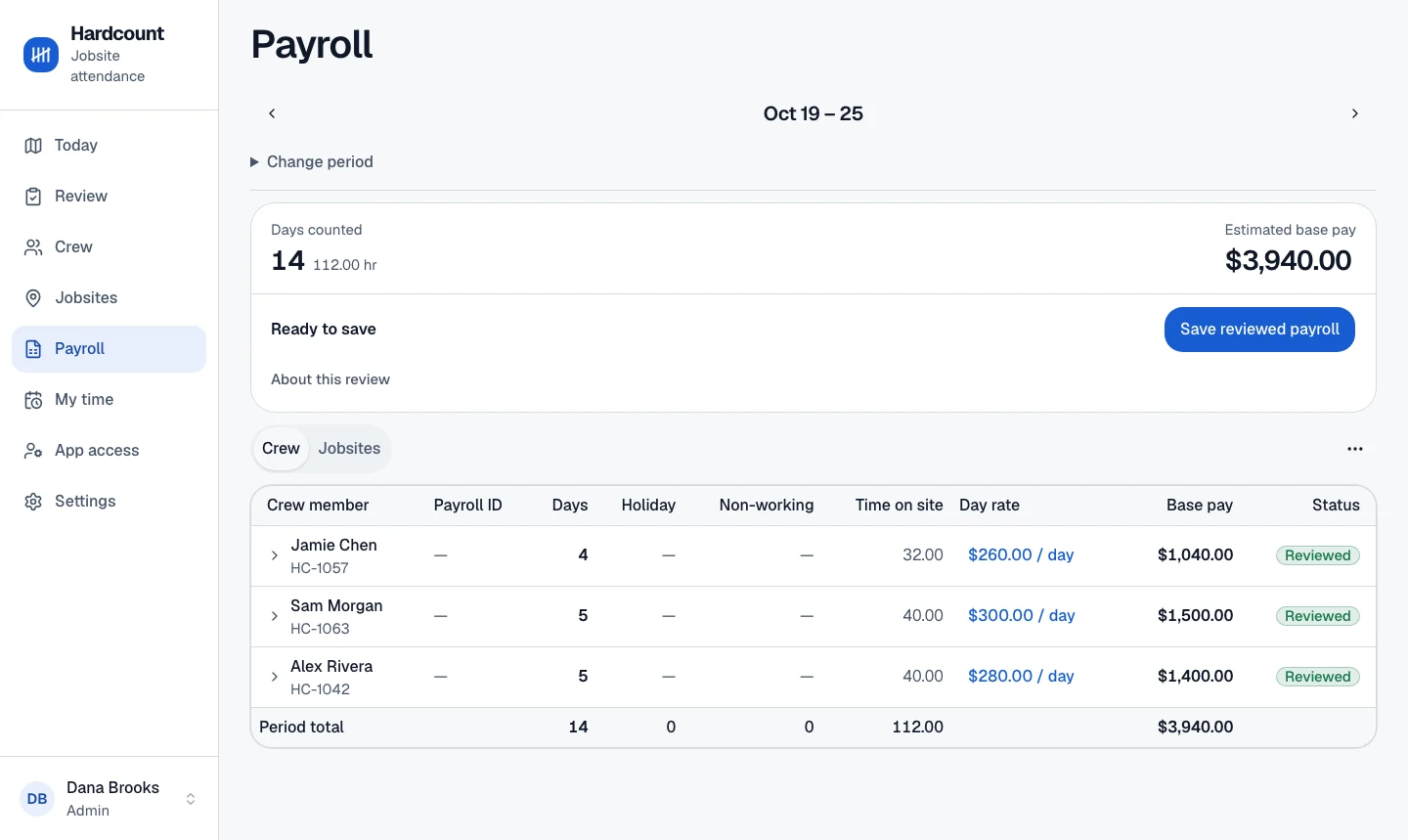
The manager console brings crew assignments, attendance exceptions, day rates and jobsite allocations into weekly review. Approval saves a payroll snapshot and exportable history.
The constraints
Phones can deliver incomplete or late location evidence. Leaving a site, losing reception and changing assignments need different handling.
Tracking follows worker consent and eligible sites. Sensor evidence, worker corrections and approved payroll have separate authority.
Where automation stops
I automated evidence collection and attendance preparation, and kept final weekly approval with the manager.
For day-rate payroll, a confirmed site visit can establish a workday without reconstructing every minute. One day across multiple jobsites remains one day of pay, with the cost allocated across those sites.
Supporting material
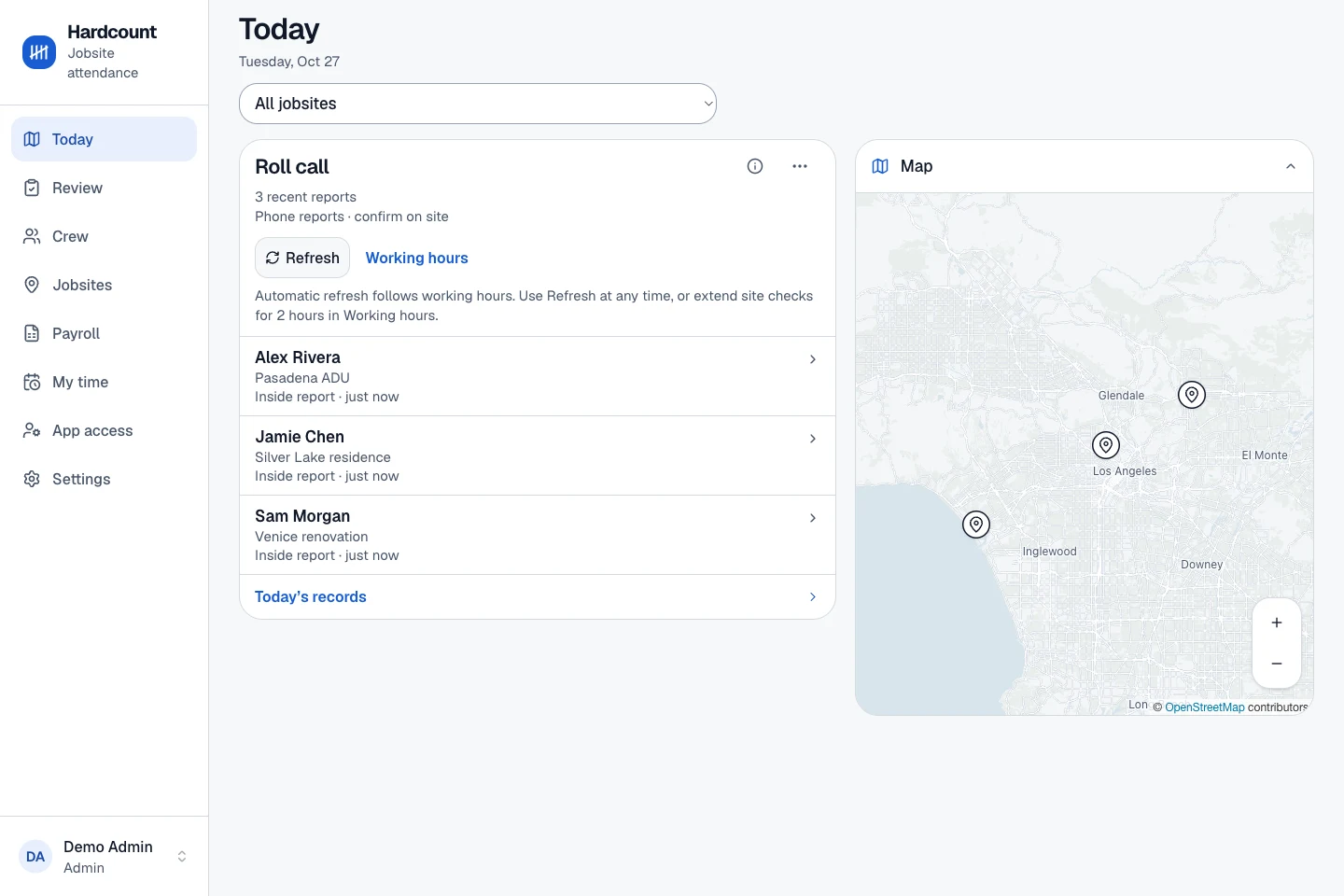
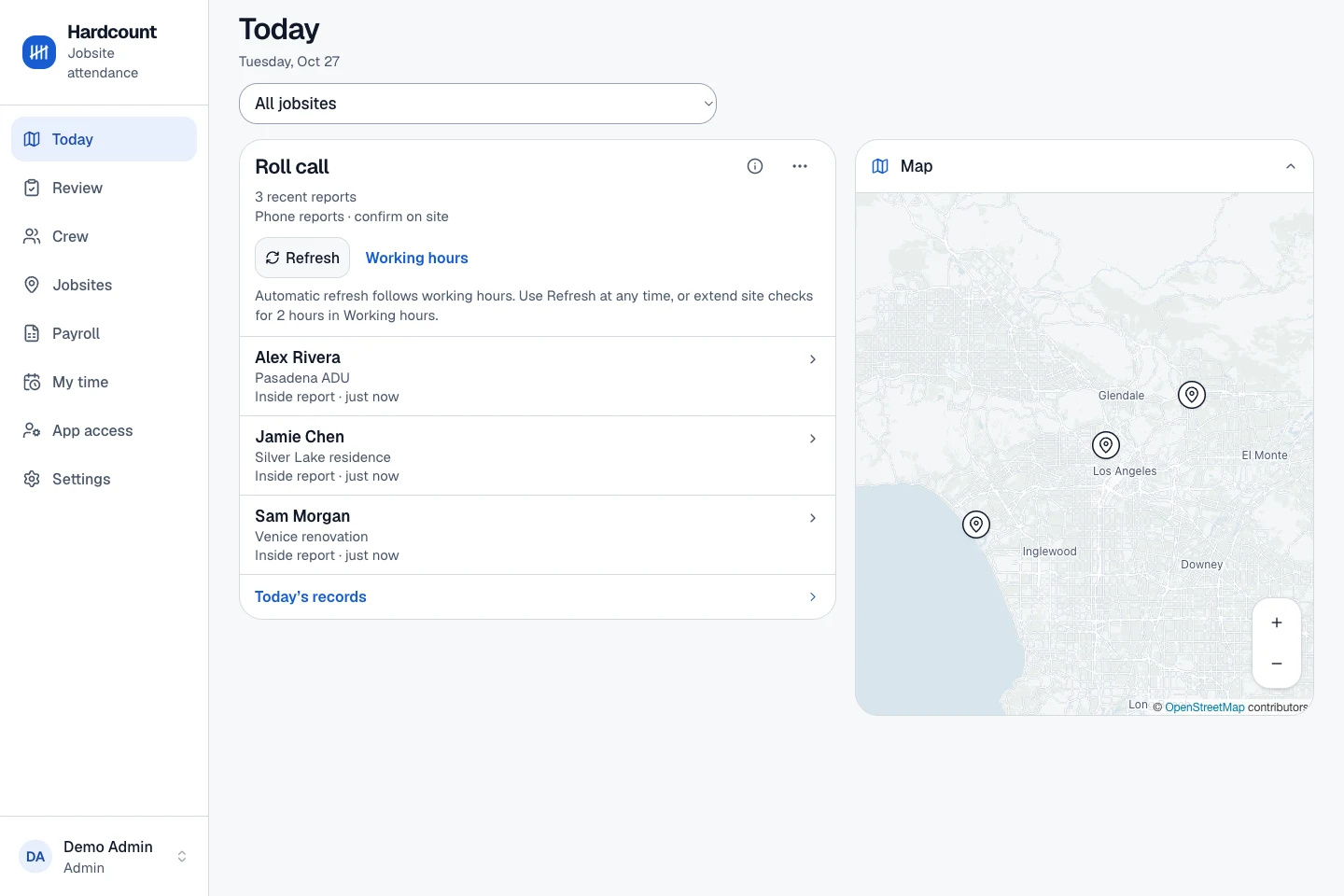
- Jobsite map and crew reports
View artifact · Screenshot
Jobsite map and crew reports. Fictional crew and jobsites; map counts and reports are sample data.
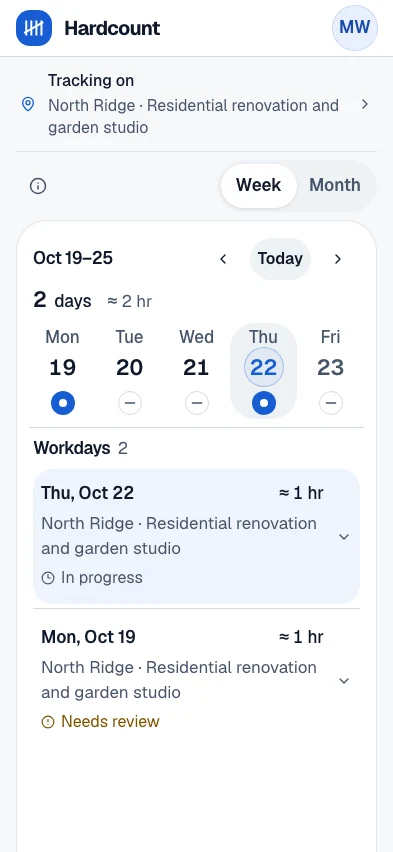
- Worker tracking and workdays
View artifact · Screenshot
Worker app showing tracking status and prepared workdays. Fictional crew and jobsite data.
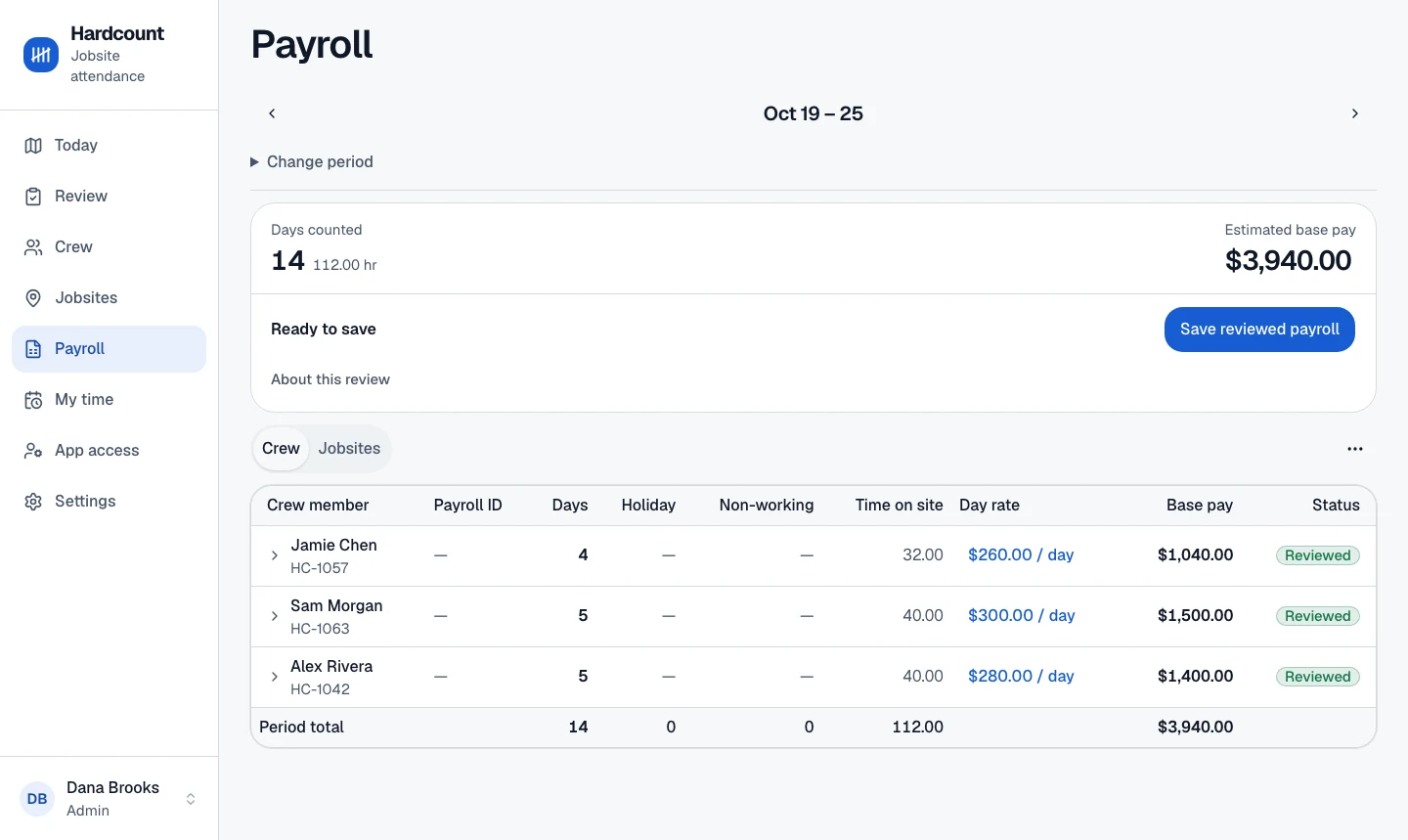
- Manager payroll review
View artifact · Screenshot
Manager console with day counts, rates and reviewed payroll. Fictional crew, rates and totals.
My contribution